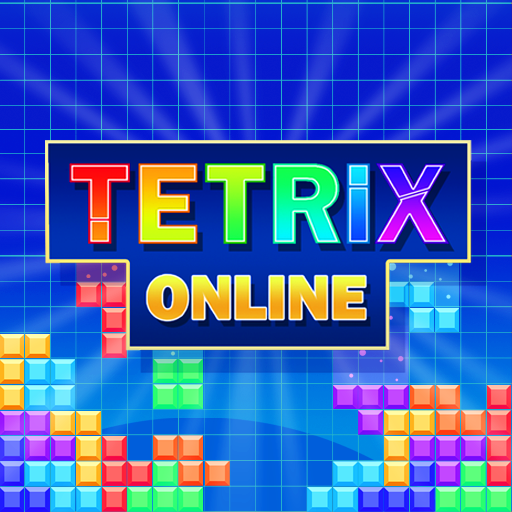
About Tetrix Online
Tetrix Online pairs timeless falling-block geometry with crisp modern browser responsiveness. As colorful four-tile pieces descend steadily into the well, every rotation and drop shapes the terrain beneath—rewarding calm, flat foundations that stay ready for massive four-row clears while punishing hasty holes buried deep under an uneven stack. Instant keyboard response makes classic line-clearing sprints deeply satisfying on any desktop or Chromebook.
How the game works
Keeping your surface flat and reserving a clean single-column well along the right or left wall is the proven secret to surviving fast speed tiers in Tetrix Online. Checking the Next Piece preview before placing your current block stops awkward overhangs before they form, and mixing quick down-skims with deliberate spins keeps your multiplier climbing smoothly without panicking near the top rim.
How to play
Click Play to start dropping pieces and click inside the board to focus keyboard controls. Shift pieces left and right with Arrow keys or A/D, rotate with Up Arrow or W, and speed up drops with Down Arrow or Spacebar. Fill complete horizontal rows with no gaps to clear lines and rack up combo bonuses before the stack reaches the ceiling.
Practical tips
- Keep one outer column open as a dedicated vertical channel for long four-block I-pieces.
- Always glance at the Next Piece box before locking your current drop so every landing sets up the next shape.
- Avoid creating single-tile holes beneath overhangs—uncovering buried gaps costs precious recovery time.
- Clear single or double lines immediately whenever your stack creeps above halfway up the board.
- Build flat, low stair-steps across the center so S and Z pieces always have a clean home.
Frequently asked questions
How do you score the most points in Tetrix Online?
Clear four full rows simultaneously using a long straight piece in a reserved side column for maximum bonus points.
What keys rotate and drop blocks?
Use Up Arrow or W to rotate, Left/Right Arrows to move, and Down Arrow or Spacebar to drop faster.
Does Tetrix Online work on Chromebooks and phones?
Yes. It runs directly in HTML5 browsers with keyboard support on desktop and touch controls on mobile.
Why do I keep topping out at higher speeds?
Keep your stack flat and prioritize immediate line clears instead of waiting greedily for four-line combos when drop speed rises.
Is Tetrix Online free without an account?
Yes. Click Play above to start immediately with zero downloads.
Guide written from playing this build on 2026-11-25. Game reference ↗